Touch response across surface and accessories
Open task Compare the same touch action with a dry screen, no cable and removable coverings removed.
Device evidence task · iPhone 13
Separate lens/accessory obstruction, one camera path and the flashlight before seeking repair.
Planning estimate for recording observations; excludes charging, backups, drying and service. Not a measured repair time.
Enable JavaScript to record observations. The complete preparation guide is available below.
Remove a safely removable film, case or magnetic camera accessory that could obstruct the lens or flash.
Source: If the camera or flash on your iPhone is not working · Remove case, accessory or film
If images are blurry, gently clean the front and rear lenses with a microfiber cloth. Keep the same well-lit subject for comparison.
Source: If the camera or flash on your iPhone is not working · More steps: clean lenses
Take one rear-camera photo, then switch to the front camera. Record preview and saved-image behavior separately on your device.
Source: If the camera or flash on your iPhone is not working · Test camera again; front and rear comparison
Swipe down from the upper-right for Control Center and try the flashlight at a safe distance from eyes. A camera Auto-flash decision is different from the flashlight control.
Source: If the camera or flash on your iPhone is not working · Test LED flash; different flash setting
Restart normally and repeat only the affected path. If the phone became hot, let it cool first; temperature can temporarily restrict camera features.
Source: iPhone temperature management · If your device gets too warm
Review the offered iOS update with a verified backup before deciding to install. If camera or flash remains faulty, retain the specific comparison for Apple.
Source: If the camera or flash on your iPhone is not working · More steps: restart, update, retest; Get service
Remove case/accessory/film; More steps; Get service · Checked 2026-10-13
Front/rear camera and flashlight comparisons
Reference only. Bounded original paraphrase and original schematics; no copied support images or pages.
Device gets too warm; Charging On Hold; Temperature warning · Checked 2026-10-13
Cooling and temperature-related charging/display restrictions
Reference only. Bounded original paraphrase and original schematics; no copied support images or pages.
iPhone X, 11, 12, 13 or later · Checked 2026-10-13
Normal shutdown and restart when touch works
Reference only. Bounded original paraphrase and original schematics; no copied support images or pages.
Handling; Repairing; Battery; Charging · Checked 2026-10-13
Stop use for suspected damage and use trained battery service
Reference only. Bounded original paraphrase and original schematics; no copied support images or pages.
Find the model name / iPhone 13 · Checked 2026-10-04
Model confirmation
Reference only. Original paraphrase; no copied images or manual pages.
External Buttons and Connectors; Power and Battery · Checked 2026-10-13
Lightning, physical controls and wireless charging applicability
Reference only. Bounded original paraphrase and original schematics; no copied support images or pages.
Get ready; Bring in; Get back from service · Checked 2026-10-13
Backup, OS-specific service readiness, credential privacy and returned-device data
Reference only. Bounded original paraphrase and original schematics; no copied support images or pages.
Troubleshoot your speaker, steps 1–7 · Checked 2026-10-13
Silent switch, Focus, speaker openings, ringtone and call comparisons
Reference only. Bounded original paraphrase and original schematics; no copied support images or pages.
Phone calls; Speakerphone; Specific app · Checked 2026-10-13
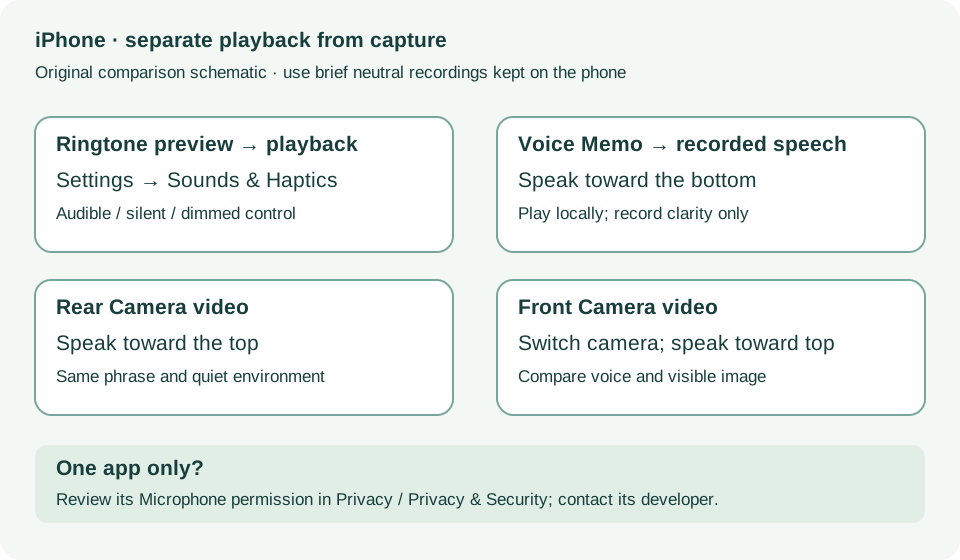
Voice Memos, two camera recordings and microphone permissions
Reference only. Bounded original paraphrase and original schematics; no copied support images or pages.
Original preparation workflow based on the linked documents. No hands-on device repair testing is claimed.