Speaker sound: ringtone and call comparison
Open task Separate local speaker output from settings and call-reception symptoms.
Device evidence task · iPhone 13
Compare the same touch action with a dry screen, no cable and removable coverings removed.
Planning estimate for recording observations; excludes charging, backups, drying and service. Not a measured repair time.
Enable JavaScript to record observations. The complete preparation guide is available below.
Choose one ordinary control, such as opening Settings. Record whether missed touches occur across apps or in only one app before changing anything.
Source: Screen not working on iPhone · Intermittent or oversensitive screen
Check the screen is dry and clear of surface debris. Do not press on cracked glass or a separating display.
Source: Screen not working on iPhone · Screen clean and free of debris or water
Disconnect Lightning accessories. Repeat the same action; a cable-dependent improvement belongs in the accessory comparison.
Source: Screen not working on iPhone · Disconnect Lightning or USB-C accessories
Remove only a safely removable case or protector, then repeat. If removal would disturb broken glass, stop and seek service.
Source: Screen not working on iPhone · Remove cases or screen protectors
If touch permits, hold either volume button with Side, use the power-off slider and wait 30 seconds, then hold Side to start. Compare the same action after restart.
Source: Restart your iPhone · iPhone X, 11, 12, 13 or later
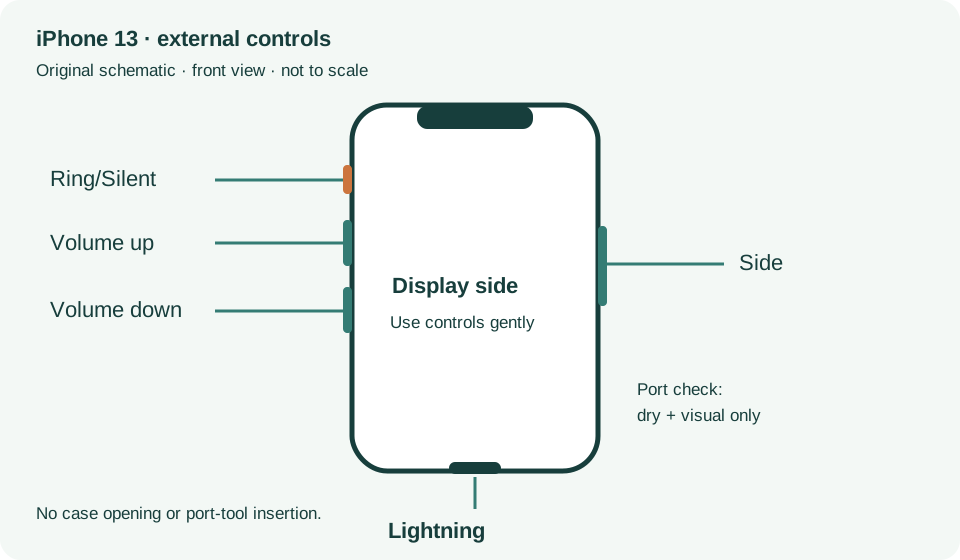
If your screen is too sensitive or responds intermittently · Checked 2026-10-13
Dry screen, restart and accessory/cover comparisons
Reference only. Bounded original paraphrase and original schematics; no copied support images or pages.
iPhone X, 11, 12, 13 or later · Checked 2026-10-13
Normal shutdown and restart when touch works
Reference only. Bounded original paraphrase and original schematics; no copied support images or pages.
Handling; Repairing; Battery; Charging · Checked 2026-10-13
Stop use for suspected damage and use trained battery service
Reference only. Bounded original paraphrase and original schematics; no copied support images or pages.
Find the model name / iPhone 13 · Checked 2026-10-04
Model confirmation
Reference only. Original paraphrase; no copied images or manual pages.
External Buttons and Connectors; Power and Battery · Checked 2026-10-13
Lightning, physical controls and wireless charging applicability
Reference only. Bounded original paraphrase and original schematics; no copied support images or pages.
Get ready; Bring in; Get back from service · Checked 2026-10-13
Backup, OS-specific service readiness, credential privacy and returned-device data
Reference only. Bounded original paraphrase and original schematics; no copied support images or pages.
Original preparation workflow based on the linked documents. No hands-on device repair testing is claimed.