Apple Diagnostics with the right macOS branch
Open task Capture an Apple silicon diagnostic result and identify exactly which tests ran.
Device evidence task · MacBook Air M1
Collect repeated sleep conditions before treating a single wake event as a stable fault.
Planning estimate for recording observations; excludes charging, backups, drying and service. Not a measured repair time.
Enable JavaScript to record observations. The complete preparation guide is available below.
Classify the event as refusing sleep, unexpected wake or a display that fails to return. Record each event under its actual condition.
Source: Mac sleeps or wakes unexpectedly · Opening; original event categories
Use the guide for the installed macOS to review sleep and wake settings. Record expected network wake or sharing behavior and preserve settings needed for your work.
Source: Mac sleeps or wakes unexpectedly · Check sleep settings / Check the network access setting / Check sharing settings
Finish active transfers before comparison. Note whether background work or connected devices were present, using categories rather than filenames or process logs.
Source: Mac sleeps or wakes unexpectedly · Check activity on your Mac / Check to see if something else is waking your Mac
After safely ejecting storage, observe ordinary sleep/wake without a dock or removable USB device. Keep the power source unchanged.
Source: Mac sleeps or wakes unexpectedly · Check to see if something else is waking your Mac → Connected storage and devices; original baseline
If safe, observe again with one documented accessory restored. Record recovery each time. If forced shutdown becomes necessary, stop repetition and take the log to Apple.
Source: Mac sleeps or wakes unexpectedly · Check to see if something else is waking your Mac → Connected storage and devices; original bounded observation
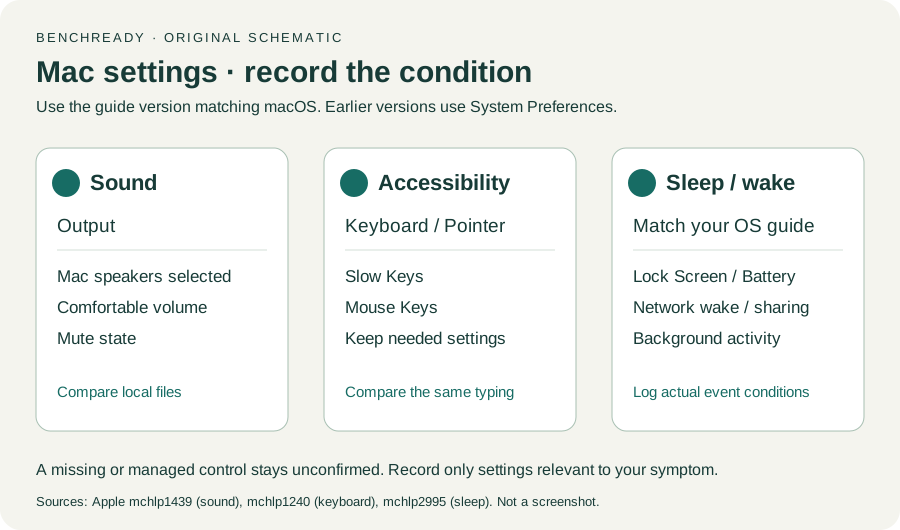
Check sleep settings / Network access / Sharing / Activity / Something else is waking your Mac · Checked 2026-10-13
Sleep/wake settings, background activity and peripheral comparison
Reference only. Original paraphrase and observation worksheets; no copied images or manual pages.
Handling / Built-in battery / Charging · Checked 2026-10-13
General damaged-equipment and moisture safety only; M1-specific connections are sourced from mac-spec
Reference only. Original paraphrase and observation worksheets; no copied images or manual pages.
Find model / MacBook Air M1 2020 · Checked 2026-10-04
Model and chip confirmation
Reference only. Original paraphrase; no copied images or manual pages.
Charging and Expansion / Display Support · Checked 2026-10-13
Two USB-C Thunderbolt/USB4 ports and one native external display up to 6K at 60 Hz
Reference only. Original paraphrase and observation worksheets; no copied images or manual pages.
Prepare / Apple silicon / Run Apple Diagnostics / Results · Checked 2026-10-13
M1 Options then Command-D; Tahoe 26+ selected tests versus earlier automatic testing; preserve reference code
Reference only. Original paraphrase and observation worksheets; no copied images or manual pages.
Opening / Built-in speakers / External outputs · Checked 2026-10-13
App volume, local source and selected built-in output
Reference only. Original paraphrase and observation worksheets; no copied images or manual pages.
Built-in keyboard / Other keys · Checked 2026-10-13
Low battery, Slow Keys, Mouse Keys and input layout
Reference only. Original paraphrase and observation worksheets; no copied images or manual pages.
Original preparation workflow based on the linked documents. No hands-on device repair testing is claimed.