Apple Diagnostics with the right macOS branch
Open task Capture an Apple silicon diagnostic result and identify exactly which tests ran.
Device evidence task · MacBook Air M1
Determine whether the warning follows an accessory, a port or a hub power arrangement.
Planning estimate for recording observations; excludes charging, backups, drying and service. Not a measured repair time.
Enable JavaScript to record observations. The complete preparation guide is available below.
Record whether the warning involves storage, an input device or another peripheral, and whether it was direct or through a hub. Stop transfers before changing the connection.
Source: USB Devices Disabled on Mac · Opening: external devices and power messages; original worksheet
Safely disconnect and reconnect the accessory. If it is storage and cannot be ejected safely, pause and ask for support instead of unplugging during activity.
Source: USB Devices Disabled on Mac · Troubleshooting → disconnect and reconnect; conservative data-preservation limit
Compare the accessory directly on the Mac, using only its documented adapter if required. Keep other nonessential USB accessories disconnected for a clear result.
Source: USB Devices Disabled on Mac · Troubleshooting → connect directly instead of hub
Compare the same direct accessory on the other USB-C port without changing its cable. If no compatible direct path is available, leave this row Not tested.
Source: USB Devices Disabled on Mac; MacBook Air (M1, 2020) technical specifications · Troubleshooting → different port; Charging and Expansion
For a self-powered hub, verify its specified AC supply is connected. Compare the powered hub path only after recording the direct result; persistent warnings go to Apple or the accessory vendor.
Source: USB Devices Disabled on Mac · Troubleshooting → self-powered hub / contact Apple
Troubleshooting list · Checked 2026-10-13
Other port, direct accessory and documented self-powered hub supply
Reference only. Original paraphrase and observation worksheets; no copied images or manual pages.
Charging and Expansion / Display Support · Checked 2026-10-13
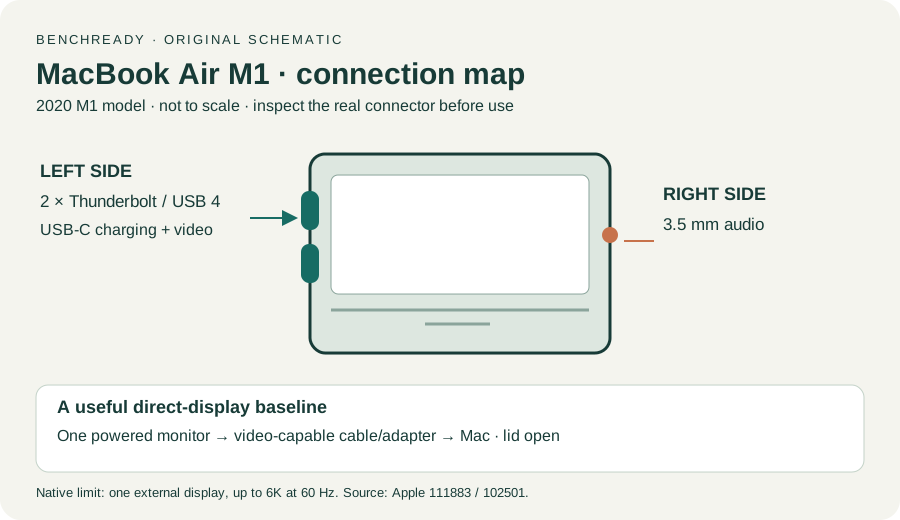
Two USB-C Thunderbolt/USB4 ports and one native external display up to 6K at 60 Hz
Reference only. Original paraphrase and observation worksheets; no copied images or manual pages.
Handling / Built-in battery / Charging · Checked 2026-10-13
General damaged-equipment and moisture safety only; M1-specific connections are sourced from mac-spec
Reference only. Original paraphrase and observation worksheets; no copied images or manual pages.
Find model / MacBook Air M1 2020 · Checked 2026-10-04
Model and chip confirmation
Reference only. Original paraphrase; no copied images or manual pages.
Prepare / Apple silicon / Run Apple Diagnostics / Results · Checked 2026-10-13
M1 Options then Command-D; Tahoe 26+ selected tests versus earlier automatic testing; preserve reference code
Reference only. Original paraphrase and observation worksheets; no copied images or manual pages.
Connections / Support limits / Detection / Accessory permission · Checked 2026-10-13
Direct video path, Detect Displays and detection versus image
Reference only. Original paraphrase and observation worksheets; no copied images or manual pages.
Original preparation workflow based on the linked documents. No hands-on device repair testing is claimed.