Camera shutter, permissions and app preview
Open task Separate a covered lens, denied access and an app-specific black camera preview.
Device evidence task · ThinkPad T14 Gen 2 Intel
Record where Bluetooth stops: controls, discovery, pairing or the accessory’s actual function.
Planning estimate for recording observations; excludes charging, backups, drying and service. Not a measured repair time.
Enable JavaScript to record observations. The complete preparation guide is available below.
Check that airplane mode is off. Search Windows for Bluetooth settings and record whether a Bluetooth control exists and can be enabled.
Source: ThinkPad T14 Gen 2 user guide · Printed pp. 9–10 → airplane mode; p. 25 → Bluetooth
Put the owned accessory into its documented discoverable mode. Keep another device from reconnecting to it during this comparison using that accessory’s instructions.
Source: ThinkPad T14 Gen 2 user guide · Printed p. 25 → connect Bluetooth device; accessory-specific procedure required
Observe whether the intended accessory appears. Record discovery separately from pairing; avoid selecting another person’s nearby device.
Source: ThinkPad T14 Gen 2 user guide · Printed p. 25 → select a Bluetooth device; original staged record
Select the exact accessory and follow the displayed pairing instructions privately. Do not enter a pairing code or PIN into this record.
Source: ThinkPad T14 Gen 2 user guide · Printed p. 25 → follow on-screen instructions
After pairing, test its ordinary intended function in one local app. For sound, retain output selection as a separate next check; pairing alone is not a playback test.
Source: ThinkPad T14 Gen 2 user guide · Printed p. 25 → Bluetooth device types; original functional acceptance
If a second owned compatible accessory is already available, record its discovery/pairing result without removing unrelated pairings. Missing controls go to Lenovo/IT; a single accessory issue also goes to its vendor.
Source: ThinkPad T14 Gen 2 user guide · Printed p. 19 / pp. 65–66 → support and reproducibility
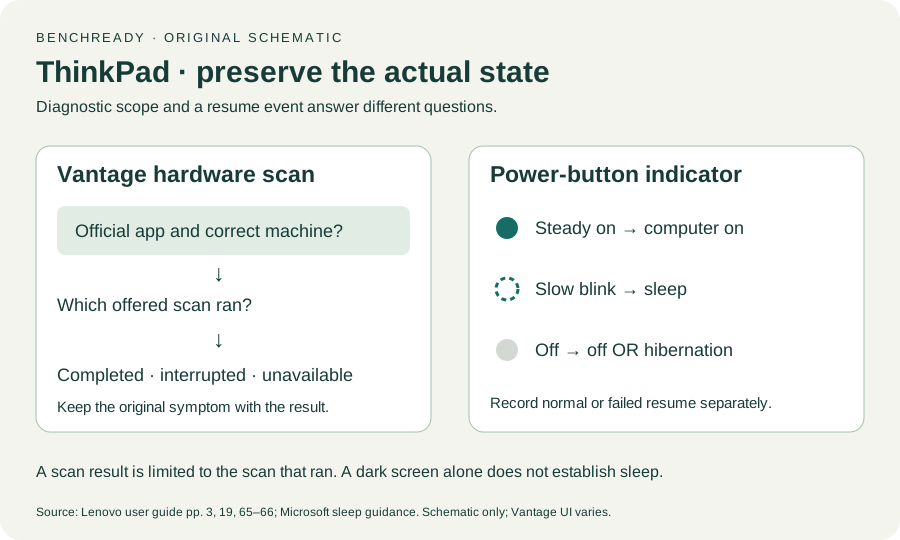
Printed pp. 1–5, 9–14, 16–19, 23–25, 27–33, 62, 65–67 · Checked 2026-10-13
Existing local official PDF/text reviewed for Intel layout, optional hardware, controls, Vantage, power and support
Reference only. Original paraphrase and observation worksheets; no copied images or manual pages.
Windows 11 / Windows 10 → Sleep · Checked 2026-10-13
Sleep command, configured lid/power behavior and manufacturer-dependent resume
Reference only. Original paraphrase and observation worksheets; no copied images or manual pages.
Original preparation workflow based on the linked documents. No hands-on device repair testing is claimed.