Camera shutter, permissions and app preview
Open task Separate a covered lens, denied access and an app-specific black camera preview.
Device evidence task · ThinkPad T14 Gen 2 Intel
Separate basic pointer failure from gesture/app limitations and disabled settings.
Planning estimate for recording observations; excludes charging, backups, drying and service. Not a measured repair time.
Enable JavaScript to record observations. The complete preparation guide is available below.
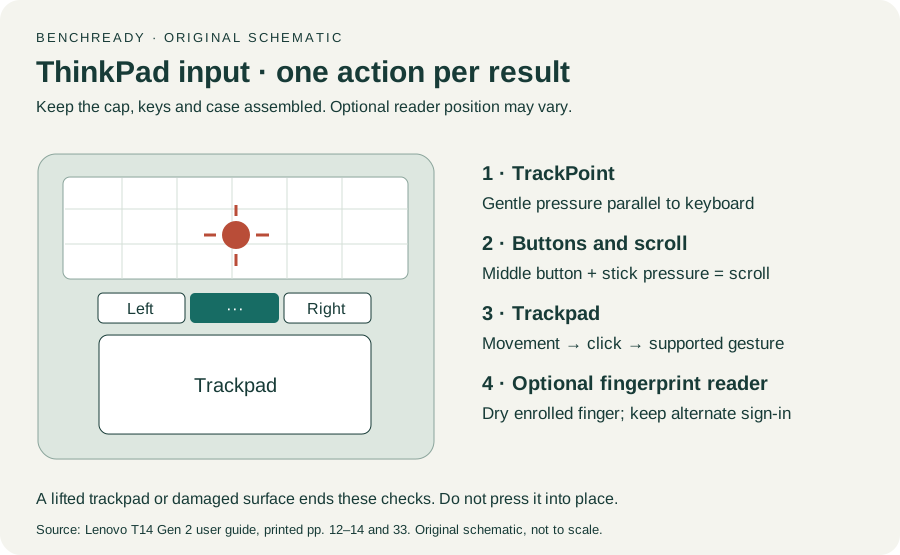
Compare pointer movement and basic click before a multi-finger gesture. Record each action separately so a gesture limitation is not reported as complete trackpad loss.
Source: ThinkPad T14 Gen 2 user guide · Printed p. 13 → Use the trackpad; original action comparison
Search Windows Settings for Touchpad and inspect whether it is enabled. The manual’s Devices → Touchpad path reflects Windows 10; use the available Windows 11 setting rather than guessing a missing control.
Source: ThinkPad T14 Gen 2 user guide · Printed p. 14 → Disable the trackpad; OS-label caveat
If oily, shut down and gently wipe with a soft lint-free cloth lightly moistened as the guide permits. Keep liquid out of openings and stop if the surface is lifted.
Source: ThinkPad T14 Gen 2 user guide · Printed p. 14 → surface-care note
Use slightly separated fingers and a gesture supported by the chosen app. Some gestures may be unavailable after using TrackPoint or in some apps; record that condition.
Source: ThinkPad T14 Gen 2 user guide · Printed p. 14 → Use the touch gestures / notes
Retest basic movement and click, then the same supported gesture in another compatible app. Take persistent basic failure to Lenovo, keeping gesture-only behavior distinct.
Source: ThinkPad T14 Gen 2 user guide · Printed pp. 13–14; pp. 65–66 → reproducibility; original comparison
Printed pp. 1–5, 9–14, 16–19, 23–25, 27–33, 62, 65–67 · Checked 2026-10-13
Existing local official PDF/text reviewed for Intel layout, optional hardware, controls, Vantage, power and support
Reference only. Original paraphrase and observation worksheets; no copied images or manual pages.
Original preparation workflow based on the linked documents. No hands-on device repair testing is claimed.