Lightning liquid alert: drying and recurrence
Open task Track safe drying and determine whether a warning follows one accessory or every dry connection.
Device evidence task · iPhone 13
Identify which external charging condition changes the response before arranging service.
Planning estimate for recording observations; excludes charging, backups, drying and service. Not a measured repair time.
Enable JavaScript to record observations. The complete preparation guide is available below.
Inspect the cable ends and adapter. Use a direct wall connection and look into the Lightning opening without inserting tools. Set damaged equipment aside.
Source: If your iPhone will not charge · If your device will not charge: cable, connection and port checks
Keep the outlet, adapter and cable fixed for the first observation. Record whether the battery indicator appears after 30 minutes.
Source: If your iPhone will not charge · Charge for half an hour
If safe equipment is available, compare another cable while keeping the adapter and outlet fixed, then another adapter with the chosen cable. Record unavailable combinations as not tested.
Source: If your iPhone will not charge · Try a different USB cable or charger
If the phone still will not start, quickly press Volume up, then Volume down; hold Side until the Apple logo appears. Save any accessible work first.
Source: If your iPhone will not charge · iPhone 8 or later force restart
Leave it on the verified setup for another 30 minutes. Capture the final response and stop repeating combinations if none produces a response.
Source: If your iPhone will not charge · Charge another half hour; service
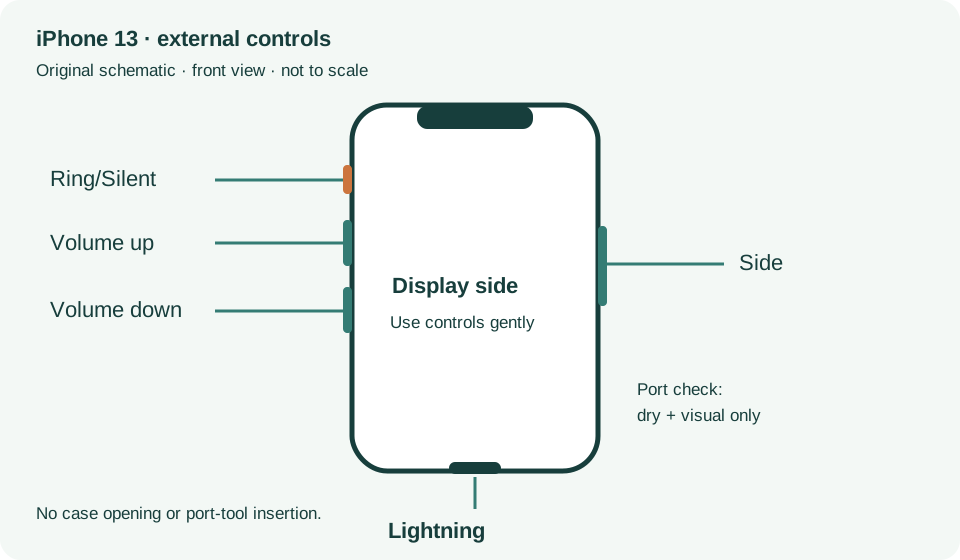
If your device will not charge, steps 1–8 · Checked 2026-10-13
External power checks and two 30-minute charging intervals
Reference only. Bounded original paraphrase and original schematics; no copied support images or pages.
External Buttons and Connectors; Power and Battery · Checked 2026-10-13
Lightning, physical controls and wireless charging applicability
Reference only. Bounded original paraphrase and original schematics; no copied support images or pages.
Handling; Repairing; Battery; Charging · Checked 2026-10-13
Stop use for suspected damage and use trained battery service
Reference only. Bounded original paraphrase and original schematics; no copied support images or pages.
Find the model name / iPhone 13 · Checked 2026-10-04
Model confirmation
Reference only. Original paraphrase; no copied images or manual pages.
Get ready; Bring in; Get back from service · Checked 2026-10-13
Backup, OS-specific service readiness, credential privacy and returned-device data
Reference only. Bounded original paraphrase and original schematics; no copied support images or pages.
Original preparation workflow based on the linked documents. No hands-on device repair testing is claimed.