Battery drain: usage and recurring conditions
Open task Build a comparable app-use record before attributing short runtime to the battery.
Device evidence task · Pixel 7
Compare cable and power supply independently and separate a charging indication from a blank display.
Planning estimate for recording observations; excludes charging, backups, drying and service. Not a measured repair time.
Enable JavaScript to record observations. The complete preparation guide is available below.
Check plug, cable and port visually. Remove a case blocking seating; do not insert a cleaning tool or force the USB-C plug.
Source: Pixel will not charge or turn on · Troubleshoot case, battery charger, cable and outlet
Check the outlet with another safe device. If available, try the cable and adapter on another compatible device before attributing failure to the Pixel.
Source: Pixel will not charge or turn on · Confirm adapter/cable work; check outlet
Connect directly with the verified setup and wait one minute for a battery indication. A deeply depleted phone may need at least another 10 minutes before the display turns on.
Source: Pixel will not charge or turn on · Use a working charger to charge for 10 minutes
Compare an intact compatible cable while keeping adapter and outlet fixed. Then compare a compatible adapter if available. Record which single change was made.
Source: Pixel will not charge or turn on · Try another cable or power adapter
If Check charging accessory appears, record that category and verify cable/adapter compatibility. For a persistently blank screen, use the separate black-screen task instead of guessing a battery fault.
Source: Pixel will not charge or turn on · Check charging accessory; Troubleshoot screen
Charger/cable/outlet; Charge for 10 minutes; Troubleshoot screen · Checked 2026-10-13
Power-path comparison, low-charge wait and 35-second screen check
Reference only. Bounded original paraphrase and original schematics; no copied support images or pages.
Wireless charging on Pixel 9a and earlier; Charging tips · Checked 2026-10-13
Pixel 7 Qi 1.x or compatible Pixel Stand and unobstructed charging
Reference only. Bounded original paraphrase and original schematics; no copied support images or pages.
Pixel 7 · Checked 2026-10-13
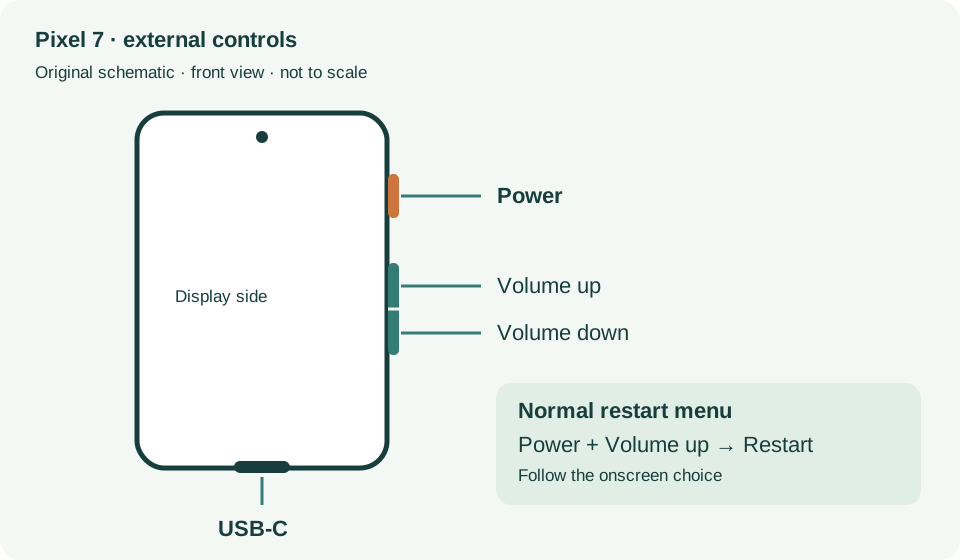
External power/volume controls and USB-C port
Reference only. Bounded original paraphrase and original schematics; no copied support images or pages.
Safety warnings; Repair and service; Charging · Checked 2026-10-13
Model-specific damaged-device and charging safety
Reference only. Bounded original paraphrase and original schematics; no copied support images or pages.
Learn how it works; Access; Exit · Checked 2026-10-13
Android 14 December 2023+, 2 GB, backups, possible reset and credential privacy
Reference only. Bounded original paraphrase and original schematics; no copied support images or pages.
Pixel 6 and later; Restart · Checked 2026-10-13
Power plus Volume up for Pixel 7 normal power menu
Reference only. Bounded original paraphrase and original schematics; no copied support images or pages.
Original preparation workflow based on the linked documents. No hands-on device repair testing is claimed.